


Help
Allgemeine Beschreibung und Hinweise zu unserer App
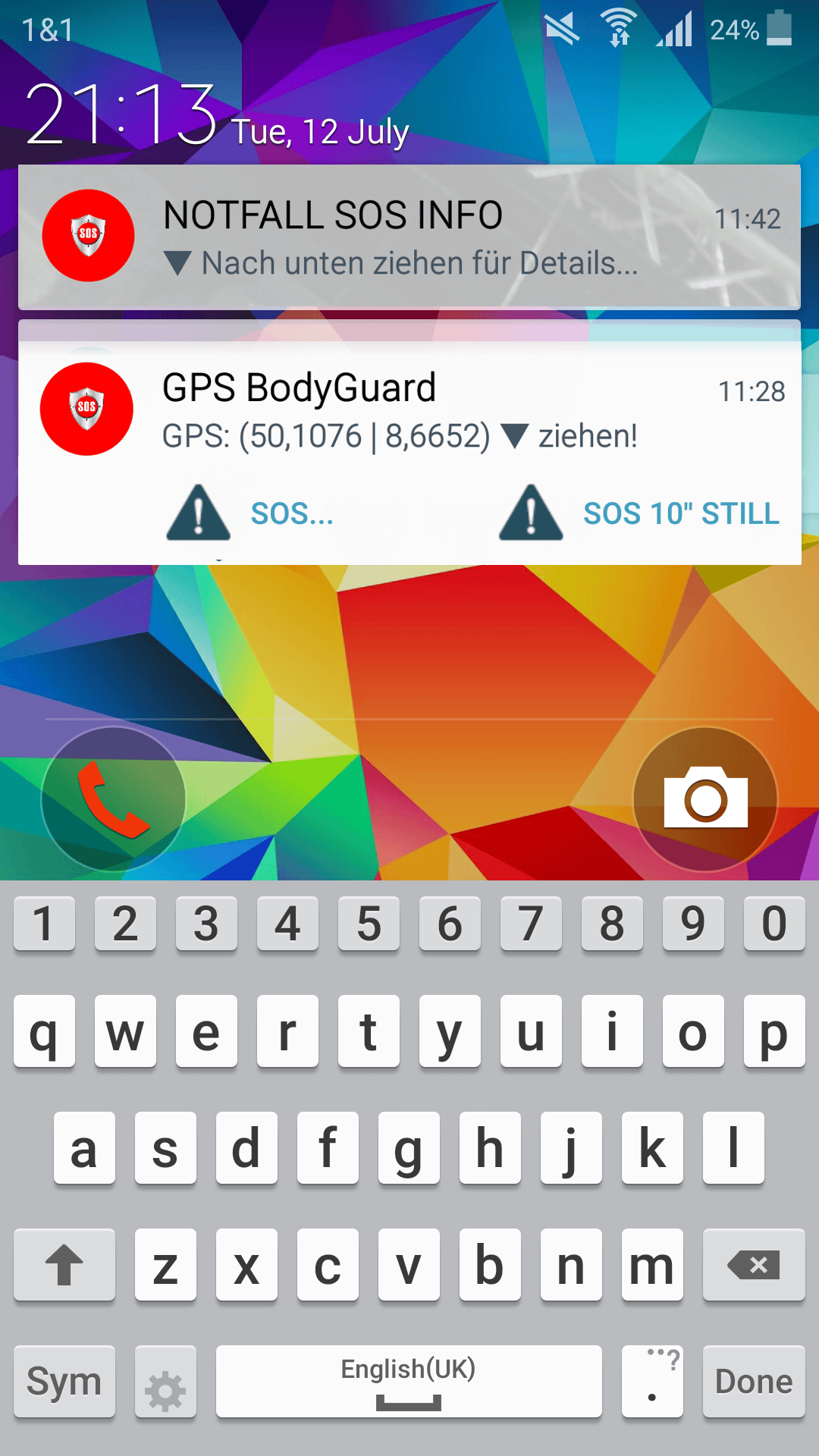
To avoid having to unlock the lock screen or open the app in an emergency situation, you can also trigger a panic alarm via the app notifications in the status bar and the lock screen.
To do this, you must activate the display on the lock screen in the app settings and then allow permission for messages on the lock screen for the app in the next dialogue in the device settings.
You can now view the coordinates determined in the "GPS BodyGuard" notification on the lock screen. Drag the message downwards with your finger to display the buttons for a panic alarm. Two functions are available to you:
- (SOS...) Panic alarm after enquiry
- (SOS 10'' silent) Silent panic alarm with fixed 10-second delay for automatic message transmission (cancellation possible).
- Record evidence (photo, video with evidence-proof storage)
 English (United Kingdom)